Copy 10 AI pet portrait prompts for dogs and cats, from simple studio backgrounds to playful scenes. Check fur markings, paws and expression in AIPGEN.
By APPSURGEPublished 6 min readAIPGEN · Photo editing
Quick answer
Good AI pet portrait prompts describe the scene or style while preserving the animal’s distinctive markings, ears and expression. Use a clear source photo, try one prompt at a time and inspect the result against the original. A creative style should still look recognizably like your companion.
Choose the expression before choosing the style
A sharp, familiar expression is the best starting point for these AI pet portrait prompts. Choose a photo where the eyes and ears are visible and the animal is not mostly hidden by a hand, blanket or furniture. A dramatic effect cannot reliably recover the details missing from a blurred source.
For a dog portrait AI prompt, mention distinctive facial markings, ear shape and coat color where relevant. For a cat portrait prompt, pay particular attention to eye color, muzzle markings, whiskers and the outline of the ears. Use the actual animal in the photo as your reference rather than a generic description of the breed.
These are original example briefs to adapt, not a set of independently tested outcomes. The pet photo ideas article helps you choose a project; this page supplies specific wording and result checks.
Prepare one photo and one small request
Choose the original file in AIPGEN, then copy a prompt that suits its framing. A head-and-shoulders source fits a studio portrait; a full-body source gives you more information for a scene with a visible floor. Avoid asking the model to invent a hidden body when you mainly want a new background.
If your pet has a collar or tag you want to retain, say so. If a tag contains information you do not want to share publicly, choose an appropriate source or carefully review the output before posting. Do not assume small lettering has remained readable or unchanged.
Choose a clear original with a familiar expression.
Pick one of the examples below and match its details to the photo.
Keep the requested change small on your first attempt.
Compare markings, eyes, ears and paws with the source.
Save a separate copy and keep the original.
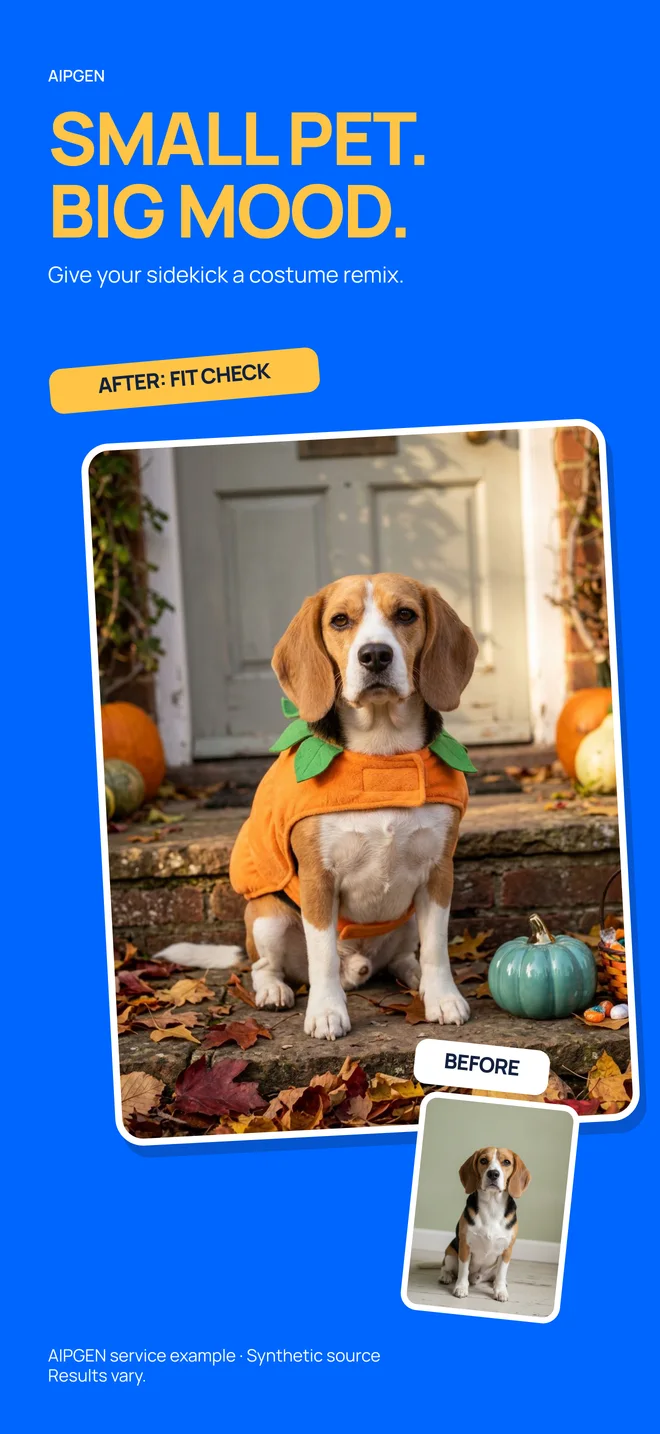
Existing AIPGEN App Store artwork, shown as a promotional example. It is not the output of the prompts below; results vary.
Five understated pet portrait prompts
These examples focus on a simpler setting and a recognizable animal. Choose a light direction compatible with your source. A request to retain markings helps communicate the goal, but you still need to verify the result.
1. A soft gray studio portrait
For a pet sitting against a distracting indoor background.
A prompt to try
Replace the background with a soft light-gray studio backdrop. Keep the pet’s distinctive facial markings, eye color, ear shape, fur pattern and expression recognizable. Preserve the original pose and use gentle light consistent with the source.
Check the result: Look for altered patches of fur, missing whiskers or ears that have become too symmetrical.
2. A quiet garden
For a pet photographed outdoors at approximately eye level.
A prompt to try
Place the pet in a quiet garden setting with soft green foliage behind it. Keep its recognizable face, markings, coat color and pose. Match the source camera angle and light direction. Keep plants behind the animal rather than across its face.
Check the result: Check that foliage does not merge with ears or the outline of the back.
3. A calm warm wall
For a simple cleanup that keeps the indoor feeling.
A prompt to try
Simplify the background to a warm cream wall and a neutral floor. Preserve the pet’s expression, fur detail, paws and original position. Keep a natural contact shadow and do not add furniture, toys or accessories.
Check the result: Make sure the paws remain distinct and the animal does not appear to float.
4. A restrained black-and-white portrait
For an expressive close-up where texture is the focus.
A prompt to try
Create a gentle black-and-white portrait from this photo. Keep the pet’s face shape, expression and fur texture recognizable. Retain detail in dark fur and bright whiskers; use balanced contrast rather than deep featureless shadows.
Check the result: Compare the eyes and muzzle with the source. Dark fur should not become a solid shape.
5. A tidy favorite spot
For preserving the setting while removing one distraction.
A prompt to try
Remove the loose cable behind the pet and continue the existing wall and floor naturally. Keep the animal, its blanket, expression and coat markings. Preserve the familiar room and do not introduce a new background.
Check the result: Adapt the target to your photo. Check that blanket edges and the pet’s tail have not changed.
Try a portrait idea with your pet’s photo
Choose one prompt, adapt it to your companion and compare the result in AIPGEN.
One complimentary edit is described in the listings. Further editing requires paid access; check your offer in the app.
Five playful pet portrait prompts
Use these as creative interpretations for personal keepsakes. The goal is a coherent picture, not evidence that your pet wore a costume or visited a new place. Keep props away from the face when recognizability is important.
6. A soft watercolor keepsake
For an illustrated portrait with a simple background.
A prompt to try
Interpret this pet portrait as a soft watercolor painting on pale paper. Keep its distinctive face markings, ear shape, eye color and expression recognizable. Use restrained washes and a simple background without words or added accessories.
Check the result: Check whether the important markings survived the simplification.
7. An autumn path
For a seated pet with enough of the body visible to ground it in a scene.
A prompt to try
Create a quiet autumn path behind the pet with muted leaves on the ground. Preserve its face, fur markings, expression and pose. Match the original perspective and soft daylight. Keep leaves away from the eyes and paws.
Check the result: Count visible paws and check that the ground meets them naturally.
8. A birthday backdrop
For a personal celebration image with a caption added afterward.
A prompt to try
Add a few pastel balloons in the background behind the pet. Keep the animal’s face, ears, coat markings and expression recognizable. Leave clear space above the head for a caption. Do not generate text, numbers or a costume.
Check the result: Look for balloon strings crossing the face and confirm there is enough caption space.
9. A cozy winter window
For an indoor source with a suitable sitting or resting pose.
A prompt to try
Create a cozy room background with a softly lit window and a distant snowy view. Preserve the pet’s distinctive features, fur pattern and pose. Keep the light gentle and consistent with the source. Do not add clothing or cover the face.
Check the result: Check the apparent scale of the window and avoid bright snow reflections that change the pet’s color.
10. A simple storybook scene
For a clearly illustrated personal keepsake.
A prompt to try
Turn the photograph into a gentle storybook illustration with a simple meadow background. Keep the pet recognizable through its face shape, ears, coat colors and distinctive markings. Preserve the pose and avoid extra limbs, words or accessories.
Check the result: Check the silhouette and recognizable details before judging the decorative style.
Check the details that identify your pet
Start with the face: eyes, muzzle, ears and the pattern around them. Then inspect coat markings, the tail and any visible paws. A result may be attractive while looking like another animal of the same breed. The source photograph is your reference for identity.
If one detail changes, return to the original and reduce the strength of the style. Ask for the background alone before trying an illustrated treatment. Do not keep editing an output that has already lost the markings you wanted to preserve.
Change one concrete element: the backdrop color, season or level of illustration. Keep a note of the source image and the wording you used so you can compare later attempts. The prompt-writing formula helps you separate the change from the details to retain.
AIPGEN is available on iPhone and Android. The listings describe one complimentary edit, with paid access for continued use. Check the offer in your app and keep the first result that suits your purpose; a longer prompt or more attempts does not guarantee a better portrait.
Product information & sources
Published by APPSURGE, the maker of AIPGEN and AIVGEN. Product claims are based on public listings; linked sources were checked October 14, 2026. Prompts are examples to adapt, not guaranteed or independently benchmarked results. Check the app for current controls, offers, and pricing.